A browser built for tenant administration
A lightweight Windows browser with separate tenant workspaces.
Windows desktop / Free
Tenant Pane is a browser for administering multiple Microsoft 365 and Google Workspace tenants at the same time. Each workspace is one tenant, kept open and isolated from the rest, without juggling browsers or private windows.
Free for Windows 11 (64-bit).
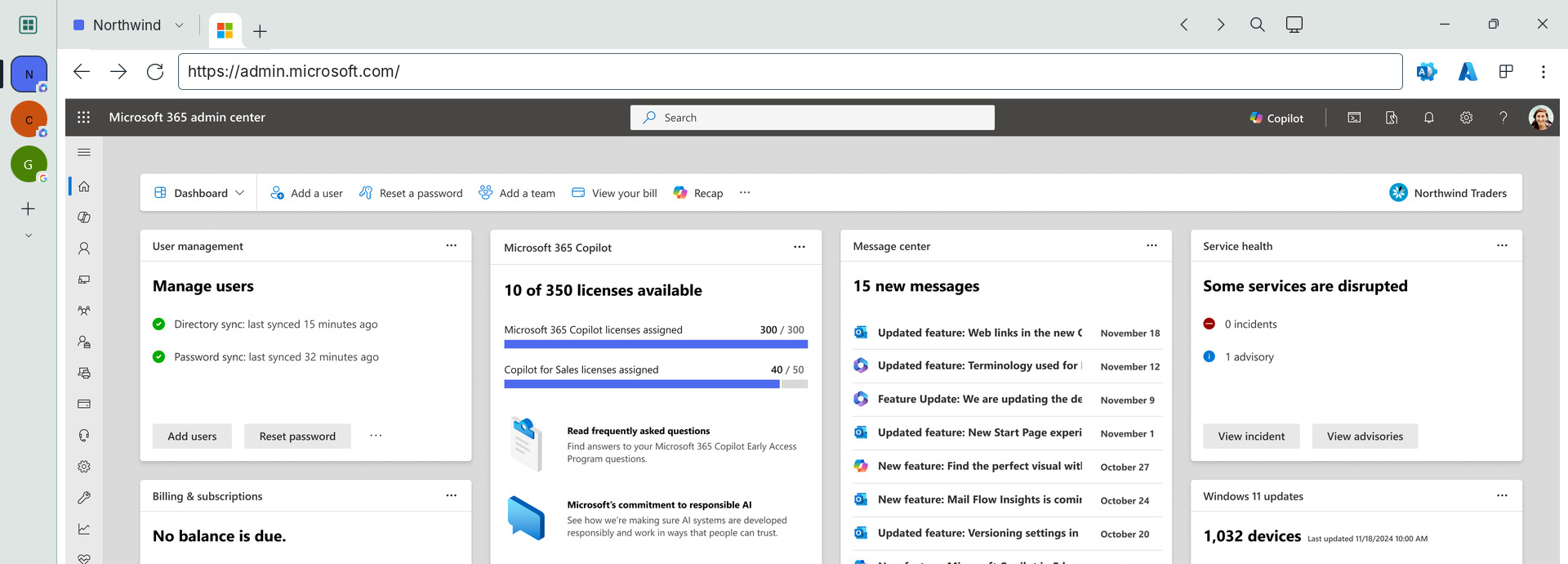
A lightweight Windows browser with separate tenant workspaces.
Separate browser profiles for each workspace. Microsoft or Google handles authentication and access permissions.
Admin portal shortcuts for Microsoft 365 and Google Workspace, one click away.
No. It’s a standalone Windows browser built on Microsoft Edge WebView2.
Anyone who manages multiple Microsoft 365, Entra, Azure or Google Workspace tenants, across customers or within one organization.
Yes. Each workspace is Microsoft 365 or Google Workspace, chosen when you create it, and gets that provider’s admin portal shortcuts. For a Google-to-Microsoft 365 migration, open one workspace of each side by side.
Windows 11 (64-bit). Tenant Pane uses the Microsoft Edge WebView2 Runtime, which Windows 11 includes.
Tenant Pane is free. No subscription or paid tier.
Woodland Howl. See woodlandhowl.com for the other products.
No. Tenant Pane organizes browser sessions. Partner Center and delegated access govern your access.
Tenant Pane uses Microsoft Edge WebView2, powered by Chromium. It supports modern web standards, including HTML, CSS and JavaScript, using the same rendering engine as Microsoft Edge.
Yes. Save workspace names, colors and preferences. Each app session starts fresh, without restoring signed-in pages.
Fine… use Tenant Pane to make managing multiple tenants pain free.
Each workspace uses its own browser profile. Tabs and popups stay with their workspace. Reopening a URL elsewhere does not copy cookies or session data.
Microsoft or Google handles sign-in, MFA, Conditional Access and permissions.
Browser profiles are cleared before navigation at startup and when you close a workspace.
Password autosave and autofill are disabled. Existing browser profiles are not imported.
App data, including workspace settings and browser profiles, stays local to the computer Tenant Pane is installed on. Nothing is synced to the cloud by Tenant Pane, and the app has no telemetry or analytics. If it crashes, Windows may send a crash report to Microsoft under your Windows diagnostic data setting; see the privacy policy.
No. The site uses Cloudflare Web Analytics, which sets no cookies and collects no personal identifiers. See the privacy policy.
Read the Tenant Pane privacy policy.
No subscription. No paid tier.
Open a support ticket for help, feature suggestions or feedback.